
Give each connected account its own default post settings, pre-filled every time you create a new post for it. Open an account's More (⋮) menu and choose Default Settings. The options vary by platform.
YouTube
Default Title, Privacy (e.g. Private) and Category (e.g. Autos & Vehicles).
Default Tags (up to 15).
Toggles for Notify subscribers, Made for kids and Shorts mode by default.
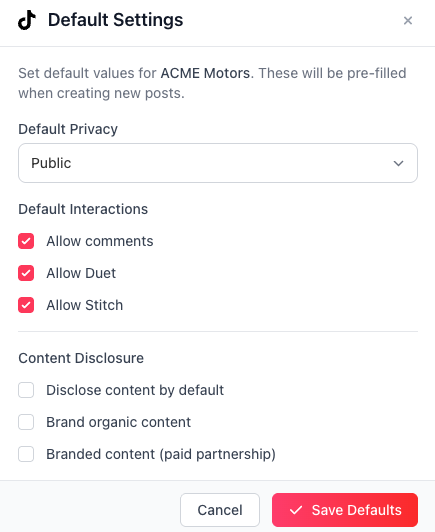
TikTok
Default Privacy (e.g. Public).
Interactions — allow comments, Duet and Stitch.
Content Disclosure — disclose content, brand organic content, or branded content (paid partnership).
Default First Comment — a comment automatically posted on each new Instagram post (great for hashtags or a CTA).
Default Location — a location pre-filled on new posts.
Default Product Catalog — the Shopify catalog pre-selected when tagging products.
Default Tags — up to 10 tags (e.g. partner @mentions) applied automatically to new images.
Default Board — the board new Pins go to.
Default Title and Default Link — pre-filled on new Pins.
Click Save Defaults when you're done.
Tip — Defaults just pre-fill the composer — you can still change any of them on an individual post.