
Link in Bio
One link for everything you post.
Buttons, Shopify products, forms and a clickable Instagram grid. Built in the same app you post from.

Sorbet Club
Bright pieces for sunny days.



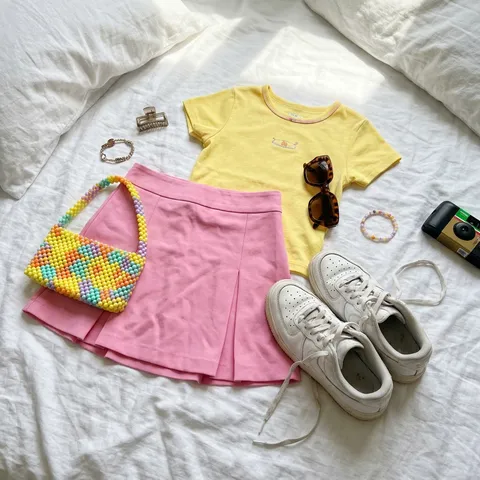





jam.bio/you
Short, yours, and set once.
Claim your jam.bio name






Every block you need.
Drag them in. Reorder. Switch them off.
Your grid, clickable.
Every post opens its own link. Add one after it goes live.
Buttons
Any link, with an image or icon.
Shopify products
Straight from your catalogue.
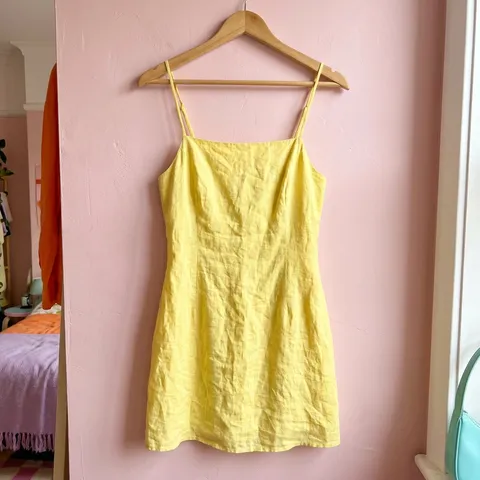
Lemon Linen Mini Dress
$79.00
Shop now
Jam forms
Fans upload their photos and videos, straight from your bio.
Upload your UGC
Photos and videos
Social links
Every profile, one row.
Galleries
Images and Jam collections.



And the rest
Mix any block into your page.
- Profile header
- Text
- Image
- Card gallery
- Collection
- Product carousel
Questions, answered.
What is Jam Link in Bio?
A branded page for the one link in your Instagram, TikTok or Facebook bio. Add buttons, Shopify products, forms, galleries and a clickable Instagram grid, then share it at jam.bio/your-name.
How do I add a link to an Instagram post?
Add an Instagram grid block. Pick any post from your grid and give it a link, before or after it goes live. On your page, a tap on the post opens that link.
Can I move from Linktree, Later or Sprout Social?
Yes. Paste the address of your public Linktree, Later or Sprout Link page. Jam brings across your profile, links, social icons, images and Instagram grid, with every post link kept. Nothing changes until you confirm.
What is my page address?
Your page lives at jam.bio/your-name. You set the name once and the link stays the same when you change the page. Older myjam.bio links keep working.
Leave Linktree, Later or Sprout in a second.
Paste your Linktree, Later or Sprout Link URL. Jam brings your links, socials, images and Instagram grid across, with every post link kept.
 From Linktreelinktr.ee/yourname
 From Laterlinkin.bio/yourname
 From Sprout Linksprout.link/yourname
Public page URL
14
Blocks
9
Links
4
Socials
24
Images
Nothing changes until you confirm.
Make it look like you.
Pick a theme, or set your own colours, fonts and buttons.
Strawberry
Apricot
Fig
Peach
Blueberry
Plum
See what gets tapped.
Daily page views and link clicks, link by link.
Page views, last 7 days
3,486
- Shop the Lemon mini412 clicks
- New summer drop268 clicks
- Join the list131 clicks
Same app as your posts.
Plan the post and its link in one place.
A page for every brand.
Each social group gets its own page.
Set it once.
Your jam.bio link never changes. The page does.
More questions
Can I sell Shopify products from my bio?
Yes. Connect your Shopify store and add a products block. It shows products from your catalogue and links straight to them.
Can I see who taps my links?
The Analytics tab shows daily page views and link clicks, with a breakdown for each link.
Can I make it match my brand?
Pick a theme like Strawberry, Apricot or Blueberry, or set your own background, colours, fonts and button style. Set the page title and description that show in search and link previews.
Can I collect sign-ups on my page?
Yes. Add a Jam form block. Fans upload their photos and videos, or sign up, straight from your bio, and usage rights are granted when they submit.
Can I run pages for more than one brand?
Yes. Each social group in Jam has its own page, with its own design, links and analytics.
Can I switch a block off without deleting it?
Yes. Every block has an on and off switch, so you can hide a sale or an event link and bring it back later.
Is Jam Link in Bio free?
Link in Bio is included in every Jam plan. Every new workspace starts with a 14-day free trial of the full platform, with no credit card. Plans start at US$99 a month.
How is Jam Link in Bio different from Linktree?
Jam Link in Bio lives in the same app you post from, next to your media library and social calendar. It adds a clickable Instagram grid, Shopify products from your own catalogue, and Jam forms that collect photos and videos with usage rights. You can import a Linktree page in one step.
How is Jam Link in Bio different from Later's Linkin.bio?
Both give you a clickable Instagram grid with a link on every post. Jam adds buttons, Shopify products from your own catalogue, galleries from your media library and Jam forms for photo and video uploads. You can import a Later page in one step, with every post link kept.
What is the best link in bio for a Shopify store?
One that shows your real products. Jam Link in Bio connects to your Shopify store and adds product cards and carousels from your catalogue, each linked straight to the product. Pair it with a clickable Instagram grid, so a tap on a post opens the product in it.
Can my customers send me photos and videos from my bio?
Yes. Add a Jam form block. Customers upload photos and videos from your bio page, and they grant usage rights when they submit. The files go straight into your Jam media library, ready to post.
Ready to Jam?
Collect UGC, organise media, manage approvals and publish from one simple workspace, powered by Jam AI to help you find, tag and rediscover your best content faster.