
Design your Link in Bio page
Updated June 26, 2026
Style your bio page on the Design tab, with a live preview as you go.
Your handle
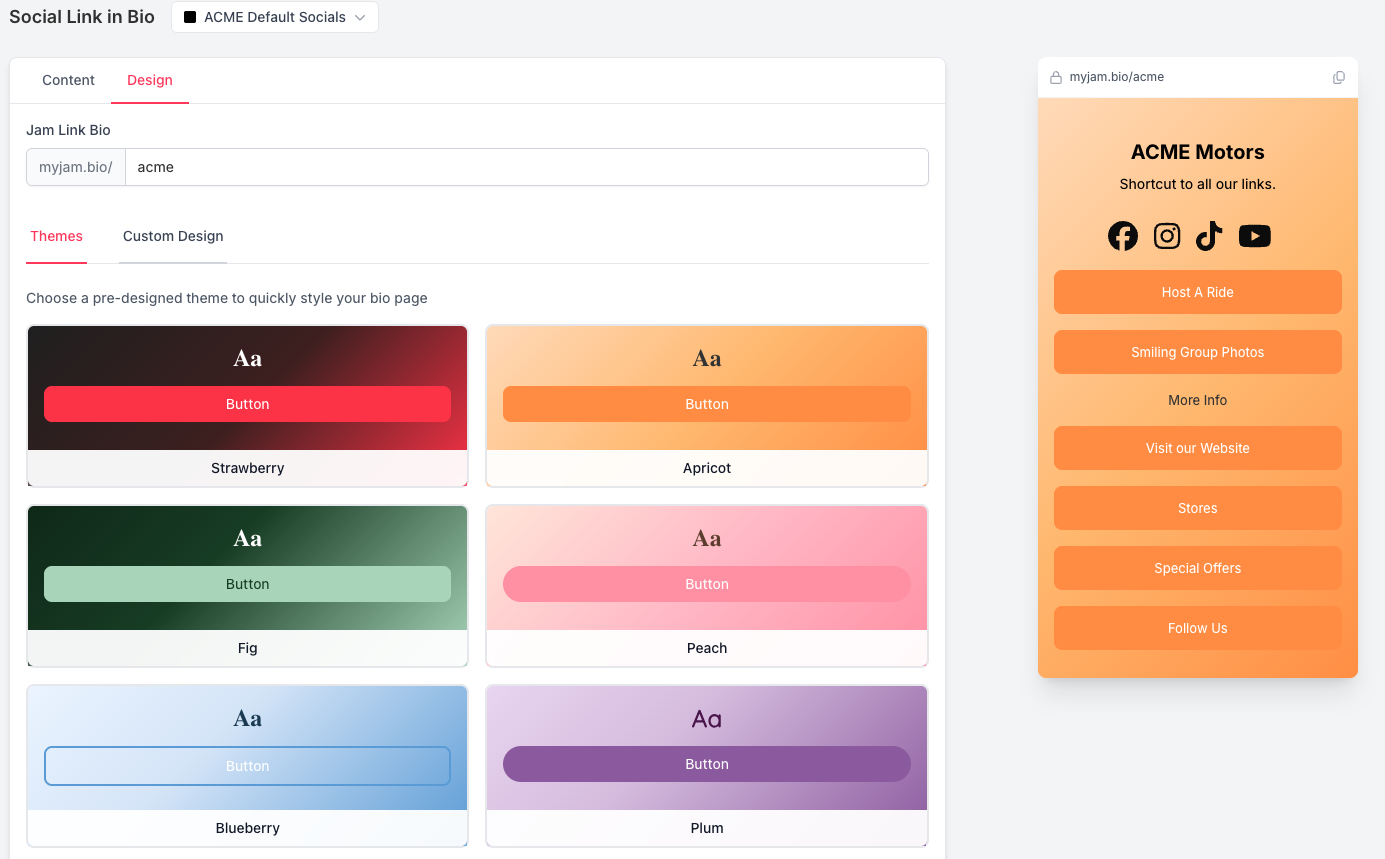
Set your page address under Jam Link Bio — your page lives at jam.bio/your-handle.
Themes
Pick a pre-designed theme (Strawberry, Apricot, Fig, Peach, Blueberry, Plum and more) to style the whole page in one click.
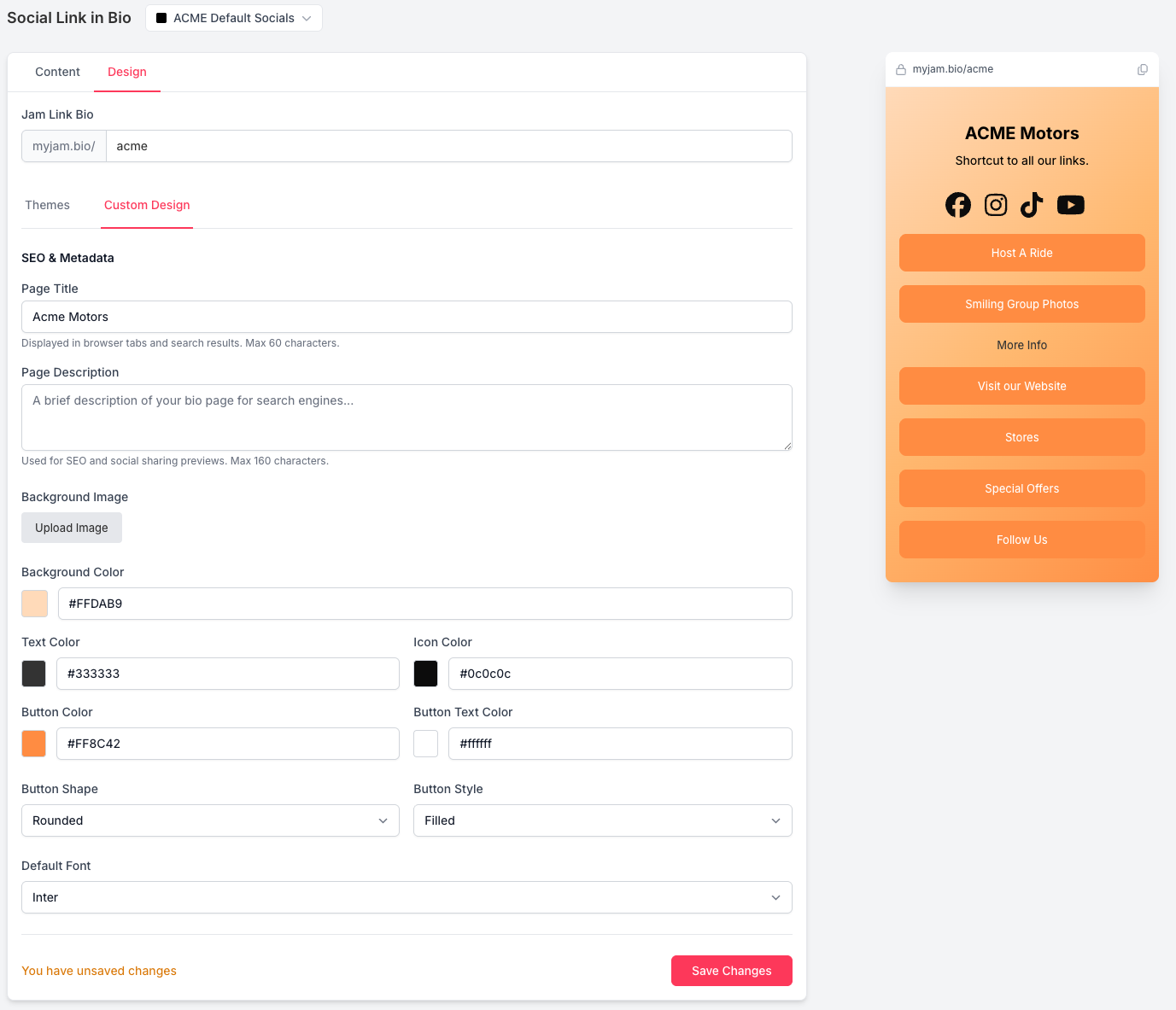
Custom Design
Or set your own under Custom Design:
SEO & Metadata — Page Title (max 60) and Page Description (max 160) for browser tabs, search and social previews.
Background — a background image or colour.
Colours — text, icon, button and button-text colours.
Buttons — button shape (e.g. Rounded) and style (e.g. Filled).
Default Font.
Click Save Changes when you're happy.
Tip — Match your colours to your social profiles so the page feels seamless.