
Every conversation in the Inbox comes with a reply box that does the heavy lifting - a draft is often already waiting for you.
AI drafts a reply for you
When a draft is ready it docks straight into the composer, marked AI draft - review & send. Read it, tweak it, then Send.
Click Regenerate for a different take - one-tap presets like Shorter, Warmer, More professional and Add detail, or tell the AI what to change in your own words.
Writing it yourself? Polish tidies your text without changing your meaning, and Revert to AI draft brings the draft back if you change your mind.
Not feeling it? Dismiss the draft with the ✕ and write from scratch - Use AI draft restores it anytime.
Reply to comments your way
On any comment, pick your channel before you send:
Reply - respond publicly on the post.
DM - respond privately. This starts a real chat thread you can carry on in the DMs section.
Both - reply publicly and DM the commenter at once.
Sending a reply resolves the comment automatically, so the queue keeps moving. Comments you don't need to answer can be Dismissed, and moderation lives in the same menu - Hide on Meta or Delete.
See who replied, and when
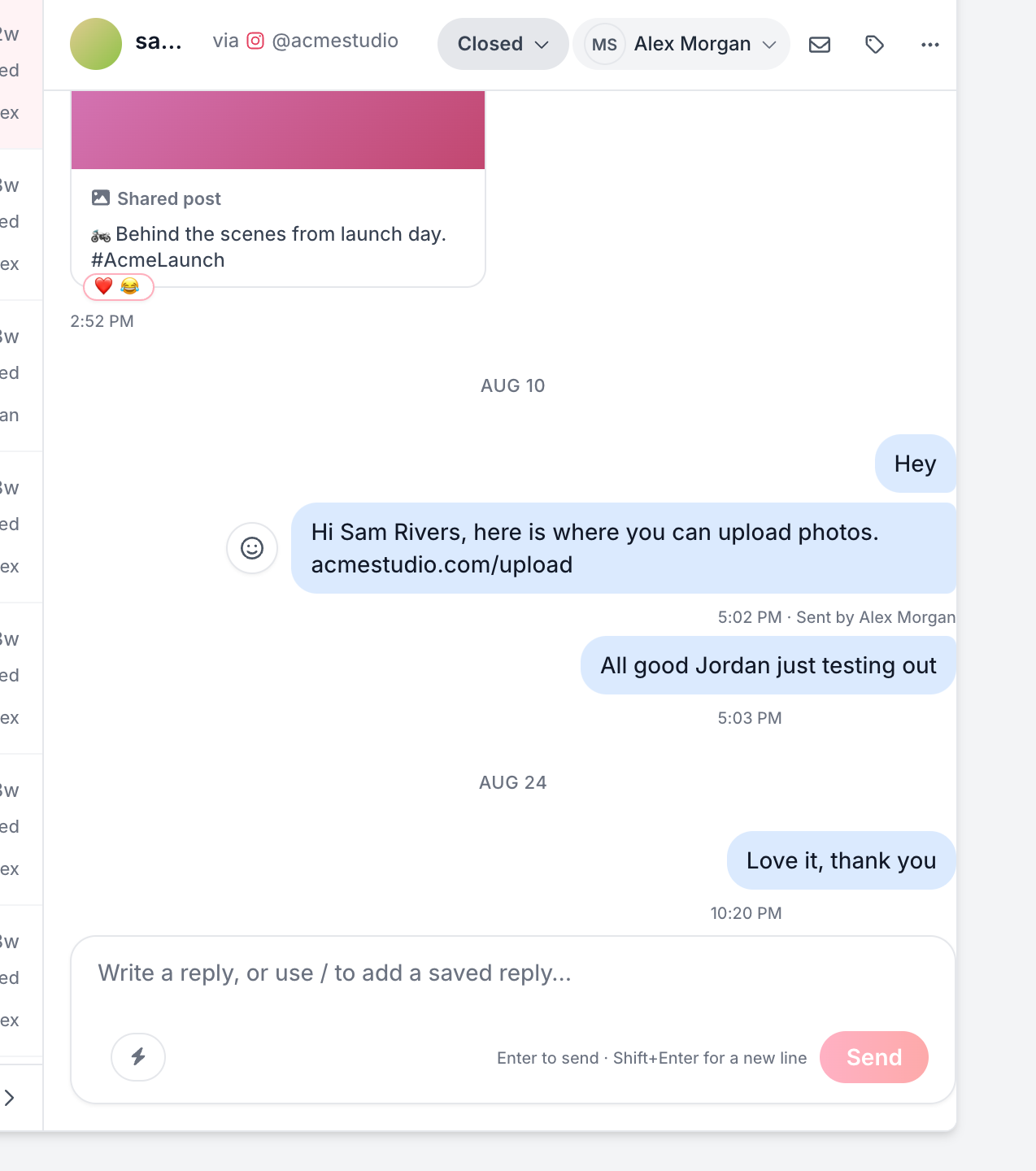
When a team shares an inbox, it helps to know who said what. Hover any reply sent from Jam - in DMs, Mentions or Comments - to see which teammate sent it and exactly when. DMs show Sent by and the teammate's name under the message; comments show Replied by with the name, date and time.
Reactions and likes
Hover any DM to react with emoji - quick reactions or the full picker - and see your contact's reactions on their messages.
Like Facebook comments with the heart, right from the inbox. (Instagram doesn't support liking comments from apps.)
Mind the reply window
Each conversation shows how long is left to reply. If the window closes, the composer lets you know - it reopens the moment the contact messages again.