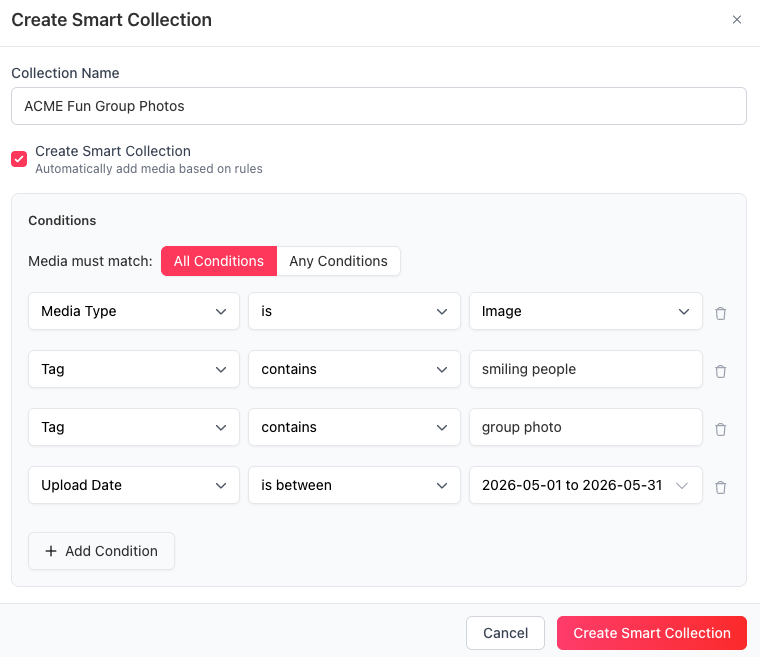
Smart collections fill themselves. You set the rules, and any media that matches is added automatically — now and in the future.
Go to Collections and click Create Collection.
Enter a Collection Name.
Tick Create Smart Collection to reveal the rule builder.
Under Conditions, choose whether media must match All Conditions or Any Conditions.
Add a rule: pick a field (Media Type, Filename, Description, Tag, Upload Date, Date Taken and more), an operator such as is, and a value. Add as many rules as you need.
Click Create Smart Collection — matching media appears straight away, and new matches are added automatically.