
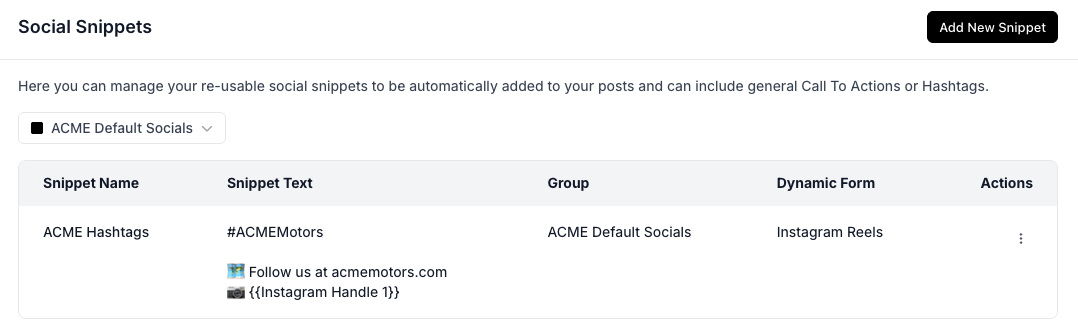
Snippets are reusable blocks of caption text you can append to any post — perfect for standard calls to action, hashtags or partner credits. Manage them under Social Manager → Manage → Snippets.
Create a snippet
Go to Socials and open the Snippets tab.
Click Add New Snippet.
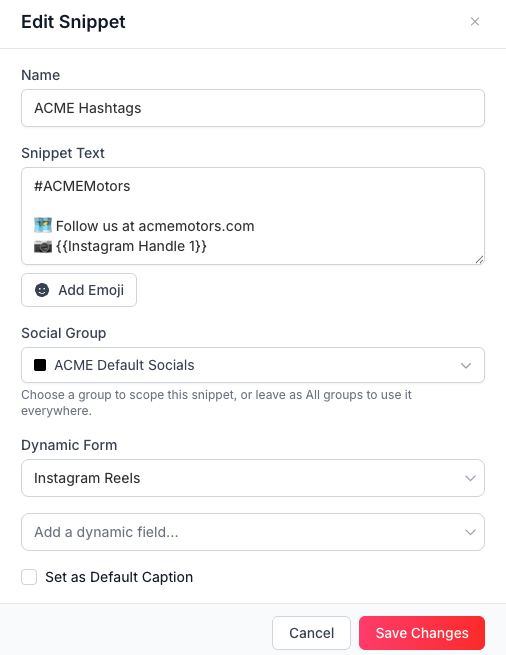
Give it a Name and write the Snippet Text (add emoji if you like).
Choose a Social Group to scope it to, or leave it as All groups to use it everywhere.
Optionally tick Set as Default Caption, then save.
Dynamic form data
Snippets can pull in dynamic form data. Link a Dynamic Form to a snippet and use tokens like {{Creator Credit}} or {{Instagram Handle}} in the text — Jam fills them from the matching submission, so each post is credited automatically.
Scope
Each snippet applies to a single Social Group or to All groups, and one can be set as the Default caption.
Tip — Keep a "Hashtags" snippet and a "Partners" snippet so every post stays on-brand with one click.