
People Review lets the people who upload to your form name the faces Jam finds in their photos - no Jam login needed. Turn it on and each uploader gets one email once their photos are processed, with a link to a simple page where they put names to faces. Those names land straight in People in your library.
Turn it on
Open your form and click Email Settings.
Go to the People Review tab - it sits alongside Confirmation Email and Internal Notification.
Switch on Ask uploaders to name people.
Set the From Name, Subject and Email Content. The content editor supports rich-text formatting, and the preview updates as you type. The default subject is "Help us name the people in your photos".
Brand it with Hide Jam Logo or Custom Logo. The email picks up your form's own branding and colours.
Click Save Settings.
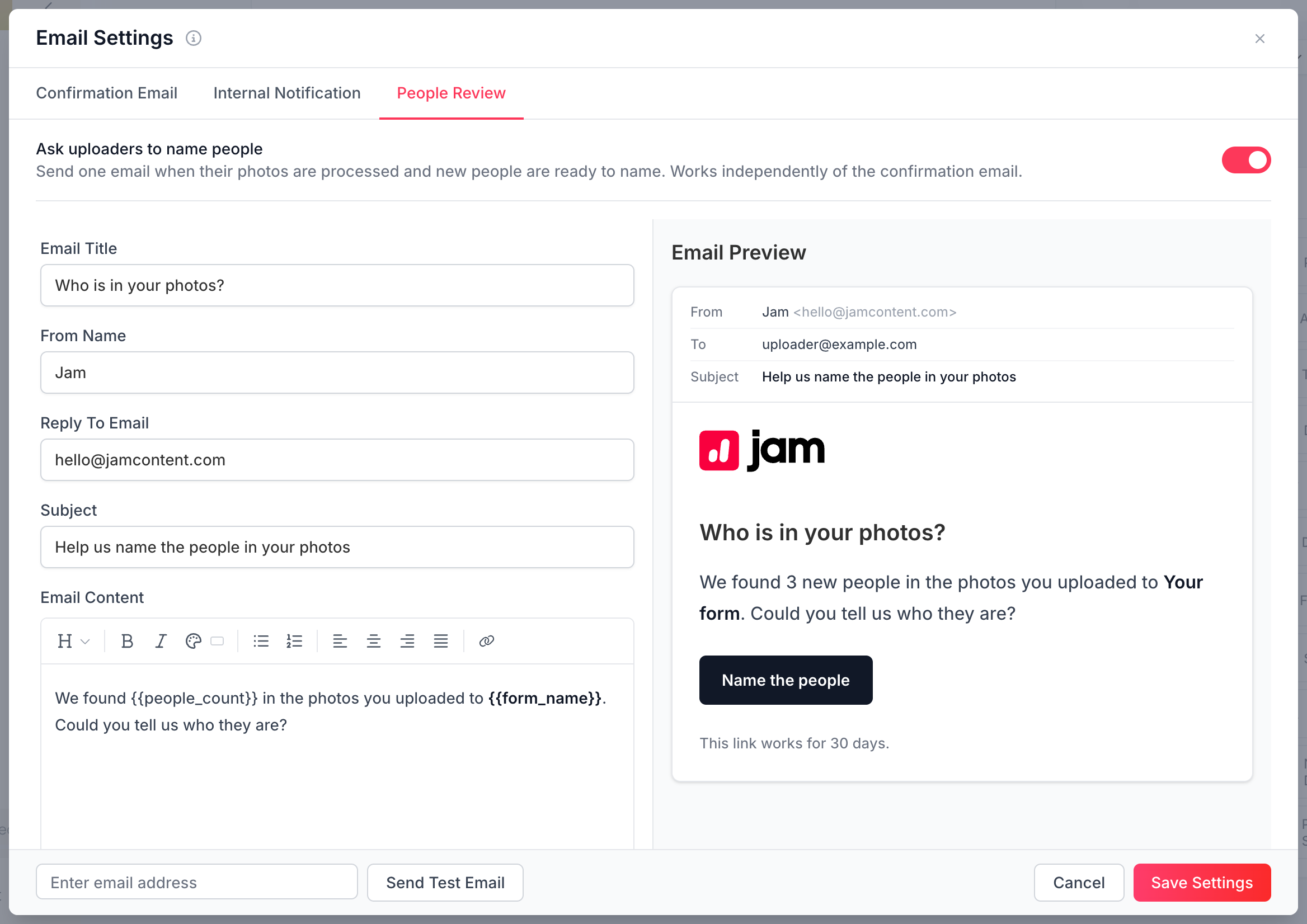
Your form needs an Email field so Jam knows where to send the link. People Review works independently of the confirmation email - use either or both.
What the uploader sees
The link opens a page titled Who is in your photos? with a row for each person Jam found: a face crop, how many photos they're seen in, and a name field.
A Best guess label means Jam is less sure about that grouping. The uploader can still name it.
Tapping any face crop opens the full photo with that face outlined, so it's easy to tell people apart.
They type the names and click Submit names. Once everyone is named, the page shows an All done card.
Track who has responded
On the form's Submissions table, a People column shows where each uploader is up to:
Not sent - the email hasn't gone out yet. It sends once the photos are processed.
Sent - emailed, not opened yet.
Opened - they opened the link but haven't named anyone.
Named X of Y - how many of the people Jam offered have been named.
Open a submission to see People named by the uploader. Each face links straight to that person's page under Content → People, and the names show on the submission's media like any other identified face.
Setting up the other two emails? See Confirmation and internal submission emails.
Tip - Keep the email short and say why you're asking. Uploaders are more likely to name people when they know how the names will be used.