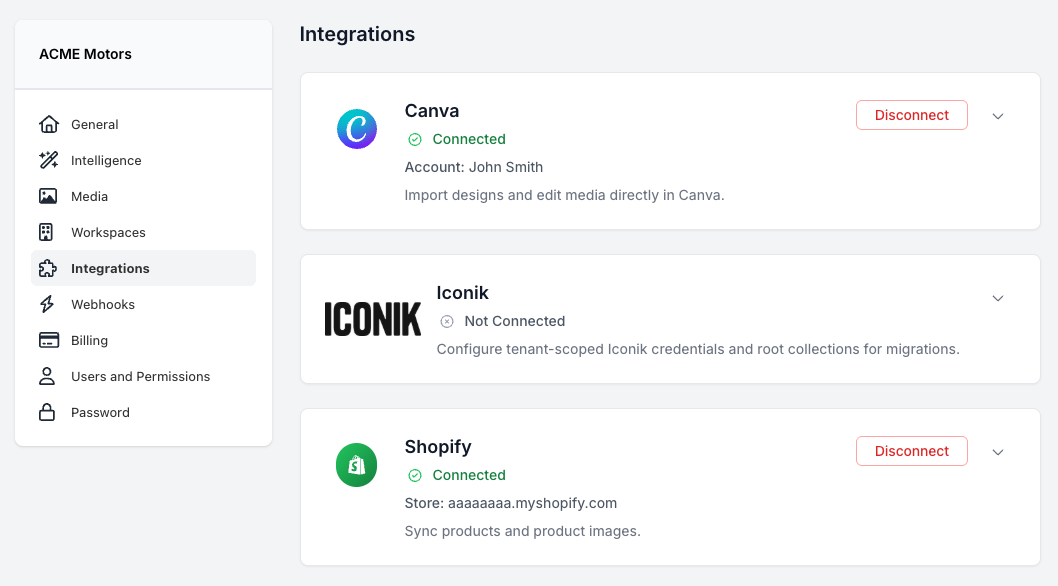
Connect the tools your team already uses so content and products flow into Jam. Go to Settings → Integrations.
Available integrations
Canva — import designs and edit media directly in Canva. This is setup on a per user level. Each user will need to enable their own integration.
Iconik — configure tenant-scoped credentials and root collections for migrations.
Microsoft 365 - connect your Microsoft 365 tenant to import libraries and folders from SharePoint and OneDrive. A Microsoft 365 administrator approves access once for the whole workspace; if that isn't you, forward them the approval link. See Add media from SharePoint and OneDrive.
Shopify — sync products and product images. See Connect your Shopify store.
Looking for something else? Google Drive and Dropbox uploads are turned on per form rather than here - see Create a form - and Linktree and Later imports live in Link in Bio.
Connect or disconnect
Click Connect on an integration and authorise it; each shows Connected or Not Connected. Use Disconnect to remove one.