
Intelligence settings teach Jam how your brand sounds, so AI captions and suggested times fit you. Go to Settings → Intelligence.
Company Context
An AI-generated profile of your business and brand voice, built from your website and used to generate captions that sound like you. Edit it any time, or click Regenerate to rebuild it — add do's and don'ts (such as words to avoid) to steer the AI.
Your Company Website is shown just below the context. Click Update to change it - the new address is saved to your General settings - then Regenerate to rebuild the context from the new site. See General settings.
Defaults
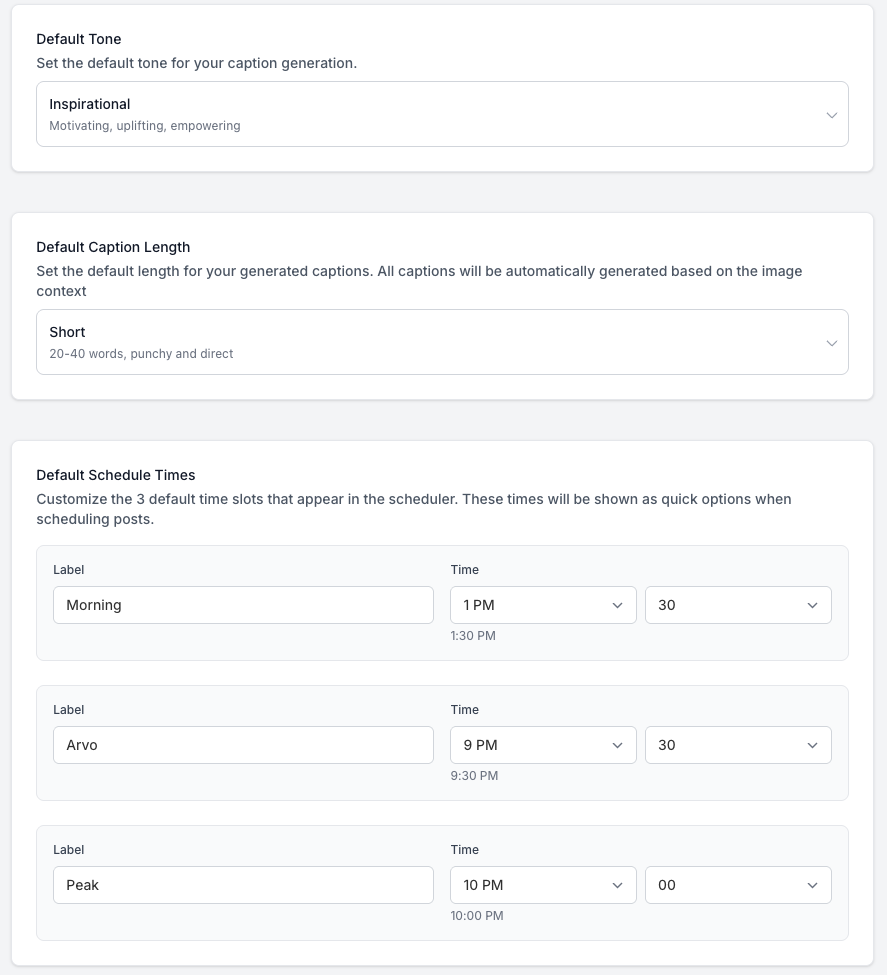
Default Tone — the tone for caption generation (e.g. Inspirational).
Default Caption Length — e.g. Brief (10–20 words). Choose Micro (3-6 words) for short-form posts.
Default Schedule Times — customise the 3 time slots shown in the scheduler, each with a Label and Time (e.g. Morning · 1:30 PM).
Tip — A clear, specific Company Context makes a big difference to caption quality. These power AI Auto Caption.