
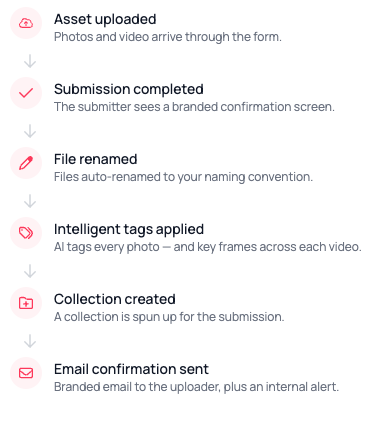
Here's the lifecycle of a submission, from upload to confirmation.
Asset uploaded — photos and video arrive through the form. If you added a Consent Statement field, the submitter agrees to it before submitting.
Submission completed — the submitter sees a branded confirmation screen. File upload answers show as clean filename links in the submission and in your email notifications.
File renamed — files are auto-renamed to your naming convention. Only if custom filenames are turned on.
Intelligent tags applied — Jam AI tags every photo, and key frames across each video.
Collection created — a collection is spun up for the submission. Only if storing media in collections is turned on.
Email confirmation sent — a branded email goes to the uploader, plus an internal alert to your team.
People Review link sent - once the photos are processed, the uploader gets an email link to name the faces Jam found, no login needed. Only if Ask uploaders to name people is turned on in Email Settings. See Let form uploaders name the people in their photos.
Renaming, collections and the confirmation screen are all configured on the form's Submission and Confirmation tabs. See Create a form.
Tip — Want a heads-up the moment a submission lands? See Email notifications for submissions.