
What is Link in Bio?
Updated June 26, 2026
Link in Bio is a branded mini landing page for the single link in your social bio — curate your buttons, forms, products and links in one place. Each Social Group has its own Link in Bio page. Find it under Socials → Link in Bio.
How it works
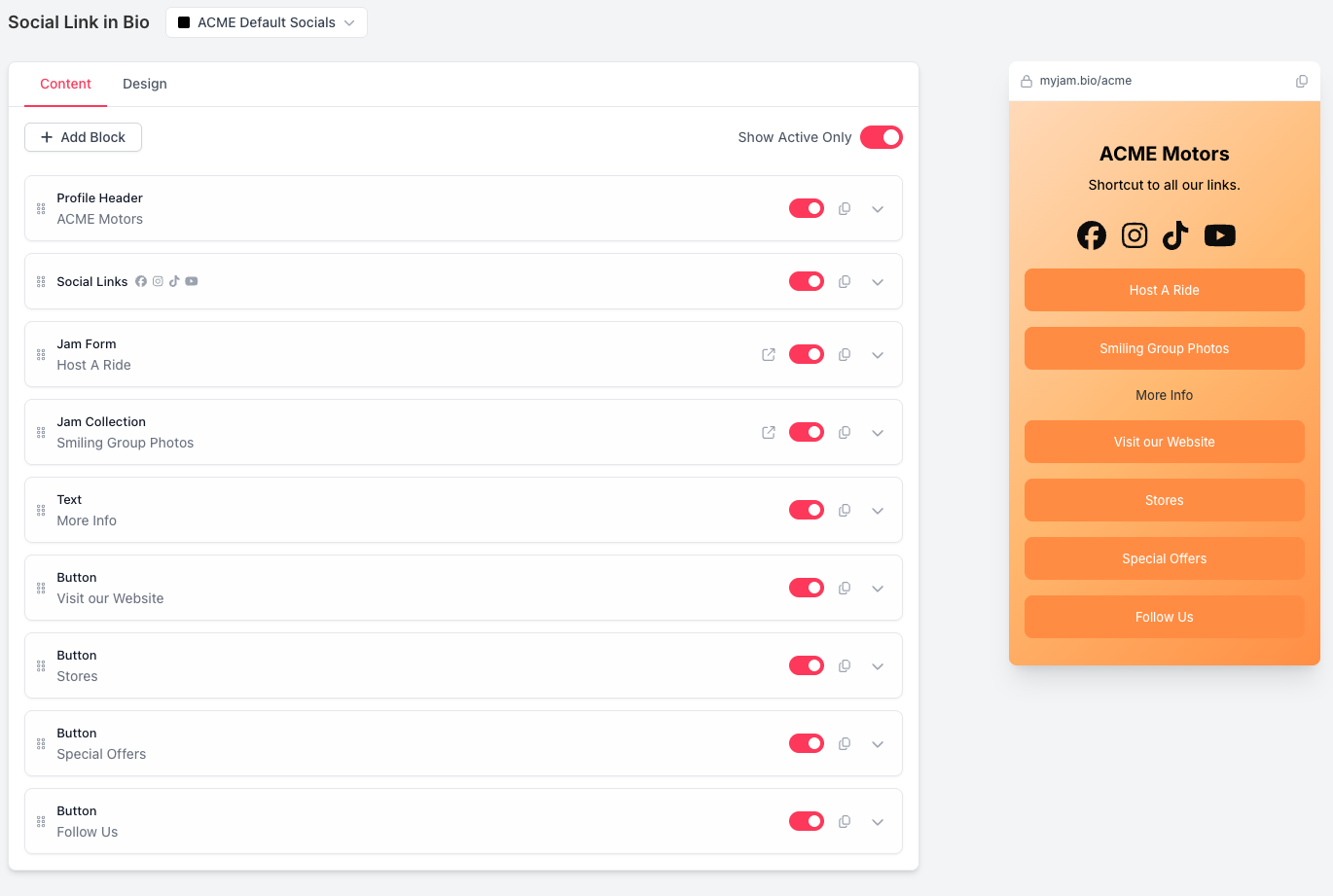
Build the page on the Content tab by adding blocks - each block is a card you can drag to reorder. See Add content blocks.
Already have a page elsewhere? Use Import to bring it across from Linktree or Later in one step. See Import your Link in Bio page from Linktree or Later.
Style it on the Design tab with a theme or your own colours and fonts - the preview updates as you go. See Design your page.
Check the Analytics tab for daily page views and link clicks, with a per-link breakdown. See Track page views and link clicks on your Link in Bio.
A live preview shows your page as you build it.
Share your page
Set your handle on the Design tab — your page lives at jam.bio/your-handle. Copy that URL from the top of the Link in Bio page (or click View live to open it) and paste it into the bio link on each social platform. The link stays the same whenever you update the page, so you only set it once.
Tip — Keep your most important block near the top — that's what gets the most taps.