
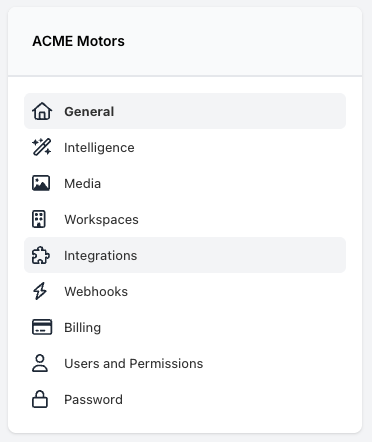
Company settings is where you manage your whole workspace. Each area has its own page, in the order they appear in the settings menu:
General — company name, workspace URL, company website, language, timezone and appearance. See General settings.
Intelligence — brand context, default tone, caption length and schedule times. See Intelligence settings.
Media — default watermarking and asset expiry for new uploads. See Media settings and Asset expiry.
Workspaces — parent and sub-workspaces. See Workspaces.
Integrations — Canva, Iconik, Microsoft 365 (SharePoint and OneDrive) and Shopify. See Integrations.
Connected agents - see which AI agents can use Jam on your behalf, and remove access at any time.
Jam for Mac - bring your workspace to your desktop with the Mac app. See Jam Desktop Sync for Mac (Beta).
Domains - serve forms, shared collections, calendars, analytics and short links from your own subdomain. See Custom domains.
Webhooks — send events to your own systems. See Webhooks.
Billing — your plan and invoices. See Manage billing.
Users and Permissions — your team and their roles. See User roles & permissions.
Password — reset your password. See Password.
Tip — Set your General and Intelligence settings first — the rest builds on them.